
Wallet & Payouts
Last updated: 2026-04-12
This guide explains how your earnings flow from completed bookings to your bank account.
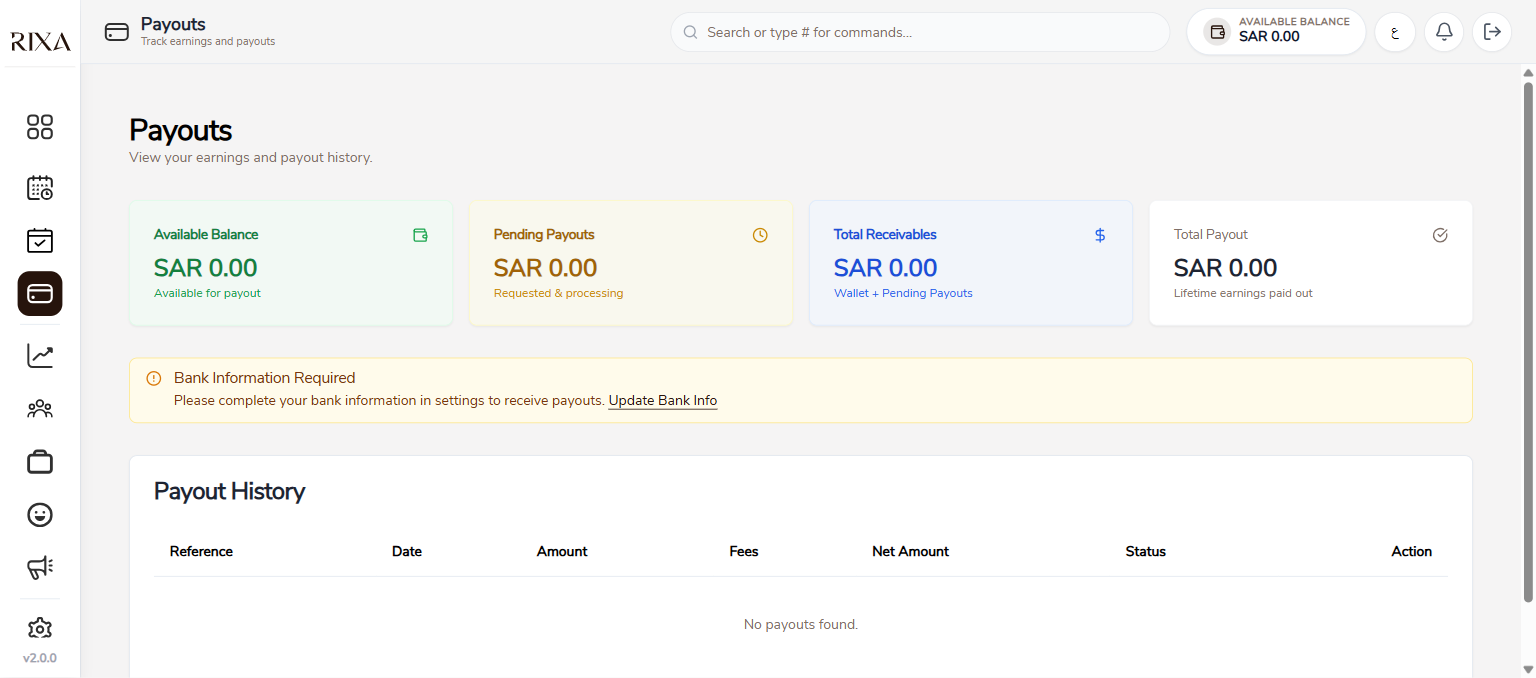
Wallet Balance
Your wallet shows your current available balance. This is the total of all earnings from completed bookings minus any payouts you have already requested and any deductions.
How Earnings Are Calculated
When a booking is completed, the service amount is added to your wallet minus the applicable commission and payment gateway fees. For example, if a service costs 200 SAR and your commission rate is 10 percent, 180 SAR is credited to your wallet. Gateway fees are deducted separately.
Transaction History
The wallet screen shows a full history of all transactions including earnings, payouts, refund deductions, and adjustments. You can filter by date range to find specific transactions.
Requesting a Payout
Tap Request Payout in your wallet, enter the amount you want to withdraw, and confirm. The minimum payout amount and any limits are shown on the screen.
Payout Timeline
Payouts are processed and sent to your registered bank account. Processing usually takes a few business days depending on your bank. You will receive a notification when the payout is completed.
Deductions
If a refund is issued to a customer for one of your bookings, the refunded amount is deducted from your wallet balance. Commission and gateway fees are deducted at the time earnings are credited.